







Using 2x16 LCD Module with I2C Interface Board on a gizDuino
22 Nov
Posted By
1 Comment(s)
4809 View(s)
2x16 LCD with I2C Serial
Demo Video:
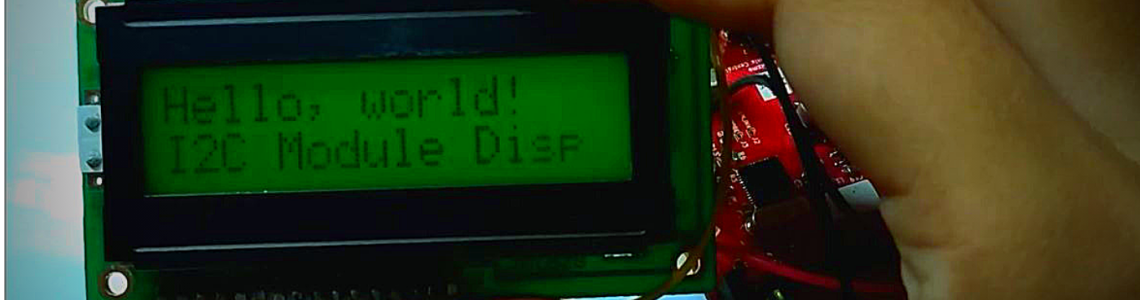
On this video shows you how easy to use the LCD 2×16 with I2C Serial Interface and wired to gizDuino LIN-UNO using only I2C 2 -wires SDA and SCL pins.
Materials Needed:
- 1 x 2×16 LCD with I2C Serial Interface board
- 4 x 1-pin M-F Jumper wires
- 1 x gizDuino LIN-UNO
- 1 x USB Cable
Connections:
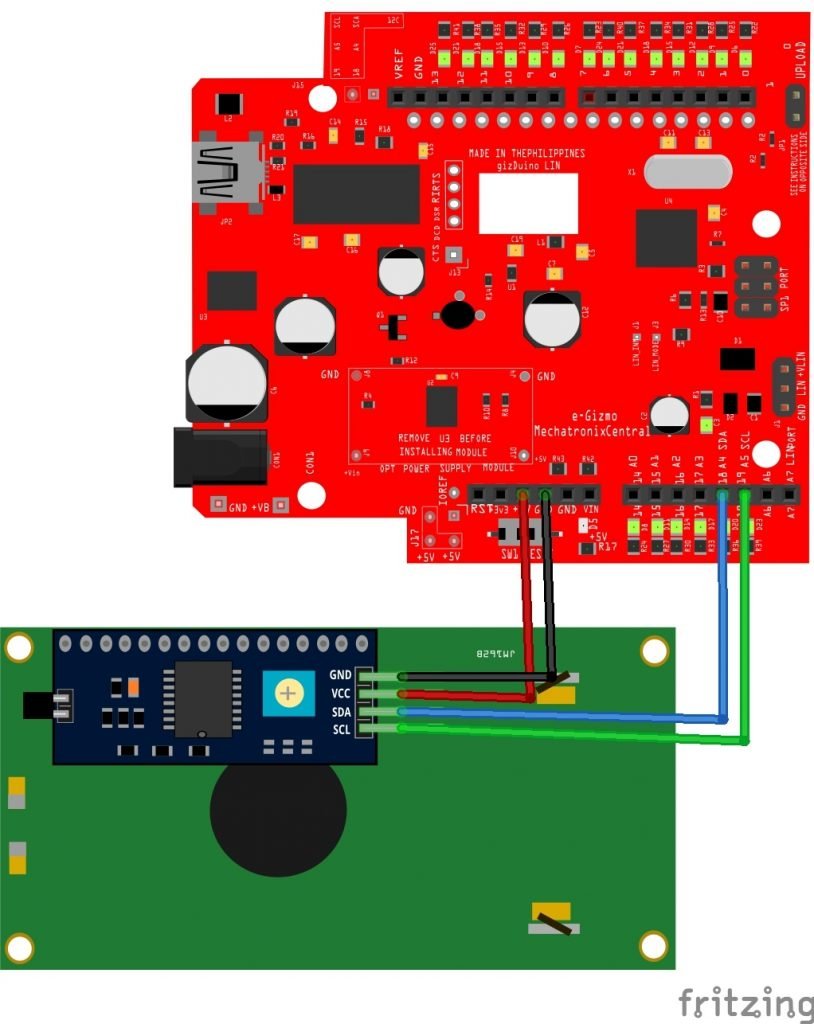
gizDuino LIN-UNO --> LCD 2x16 w/ I2C
GND --> GND
+5V --> VCC
SDA --> D18/SDA
SCL --> D19/SCL
* Contrast - adjust the trimmer pot
LIQUIDCRYSTAL I2C LIBRARY:
Download LiquidCrystal_I2C Library!
and Wire Library, if necessary.
How to add the Library?
Add the LiquidCrystal_I2C folder library. Go to My Documents> Arduino> libraries. Place the “LiquidCrystal_I2C“ folder (which contains examples folder,cpp,h, keywords files).